Last Updated: October 25, 2026
Quick Summary
To clean office coffee machines properly, remove grounds from the group head after each use, wipe external surfaces daily, empty the drip tray at least twice daily in busy offices, purge the milk system after each use, and descale every four to six weeks in hard water areas or every two to three months in soft water areas.
- Remove leftover grounds from the group head after each use with a cleaning brush
- Descale every four to six weeks in hard water areas and every two to three months in soft water areas
- Clean the milk system immediately after each use by purging, removing detachable parts, and rinsing under warm water
- Use only descaling solutions designed for coffee machines, never vinegar or homemade solutions
- Keep a written cleaning log sheet near the machine to track completed tasks and prevent missed maintenance
Table of Contents
- Why Regular Cleaning Matters for Office Coffee Machines
- Daily Cleaning Tasks for Your Office Coffee Machine
- How to Descale a Coffee Machine
- Cleaning a Coffee Machine Milk System
- Coffee Machine Cleaning Schedule and Tablets
- Common Cleaning Mistakes to Avoid
- Getting Professional Support for Your Machine
- Frequently Asked Questions
Why Regular Cleaning Matters for Office Coffee Machines
Dirty office coffee machines break down faster, cost more to repair, and damage your workplace reputation. When a machine fails during morning rush, productivity drops.
Regular cleaning prevents these problems, protects your investment, and ensures every cup tastes fresh. Learn essential hygiene protocols for shared office kitchens to complement your machine maintenance routine.
At Admiral Vending, we’ve seen that machines cleaned daily last years longer than neglected ones, delivering consistent quality instead of constant frustration.
Proper cleaning is straightforward and needs no special training or expensive equipment. This guide walks you through how to clean office coffee machines properly.
Daily Cleaning Tasks for Your Office Coffee Machine
Your machine needs daily attention. These tasks take minutes but make a massive difference.
Start with the group head, where water and ground coffee meet.
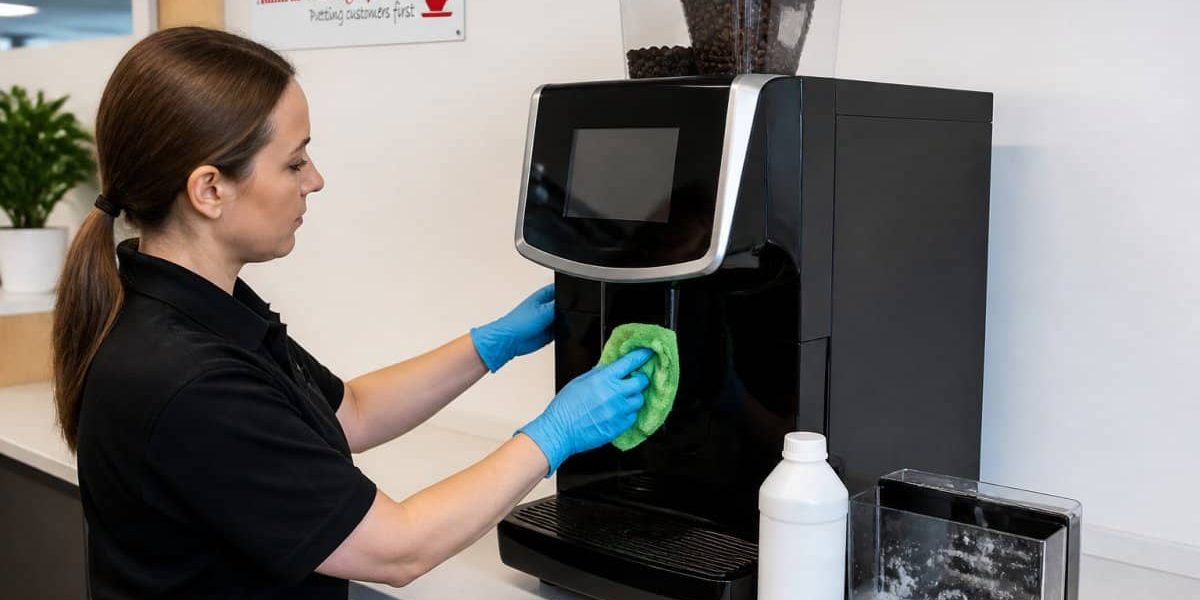
Next, wipe external surfaces with a damp cloth, paying special attention to buttons and touchscreens, which collect fingerprints and bacteria.
Empty and rinse the drip tray at least twice daily in a busy office; a full tray can overflow and damage the machine.
Check the water level if your machine has a tank, keeping it topped up throughout the day.
Daily cleaning checklist:
- Remove grounds from group head
- Wipe external surfaces
- Empty drip tray
- Purge milk system (if applicable)
- Check water level
- Rinse any removable parts
These five minutes of daily care prevent most common problems.
How to Descale a Coffee Machine
Descaling removes mineral buildup that slows water flow, affects taste, and eventually damages internal components. It is the task most offices get wrong, either by skipping it or doing it too rarely.

Commercial Bean to Cup Coffee Machines UK | Barista-Quality Coffee Made Easy
Admiral Vending Systems
Most offices need to descale every four to six weeks in hard water areas and every two to three months in soft water areas. Do not rely on a calendar alone. If you do not know your water hardness, ask your water supplier for the figure in milligrams per litre of calcium carbonate, or use a test strip. Water above 200 mg/l is hard; below 100 mg/l is soft (Water Hardness / Hard Water). A machine descaled less often than its water hardness demands will fail early, and the repair is rarely covered by warranty.
Here is how to descale properly:
- Turn off the machine and let it cool for 15 minutes.
- Remove the water tank and empty it completely.
- Fill the tank with a descaling solution mixed according to the instructions.
- Return the tank to the machine and turn it on.
- Run the solution through the group head into a cup or sink. Do not make coffee during this step.
- Let the solution sit inside the machine for 20 minutes. This allows it to break down mineral deposits.
- Run the remaining solution through the group head.
- Remove the tank and rinse it thoroughly under running water.
- Fill the tank with fresh water only.
- Run fresh water through the group head for at least two minutes. This flushes out any remaining descaling solution.
- Test by making a small cup of coffee. It should taste normal with no chemical aftertaste.
The entire process takes about 30 to 40 minutes, and a well-descaled machine performs better and lasts longer.
Descale by Machine Type
The steps above suit most bean-to-cup and filter machines. Two types need different handling.
Pod and capsule machines usually have a dedicated descale mode; follow the manufacturer’s sequence exactly and do not interrupt the cycle. Traditional espresso machines with a boiler often need descaling by a technician, because the boiler must be drained and refilled correctly. Check the manual before attempting it yourself. Consistent maintenance remains the most effective way to descale pod machines while ensuring that internal components remain free from mineral buildup.
Instant coffee machines rarely need descaling in the same way, but the water tank and outlet should still be descaled on the same schedule as the water hardness demands.
When Descaling Does Not Fix the Problem
If you descale on schedule and water flow is still slow or the coffee tastes flat, the blockage may be deeper than user descaling can reach, common in hard water areas where descaling was skipped for a long period. A technician can clear internal blockages; continuing to descale a seriously blocked machine wastes solution and does not solve the problem.
Never use vinegar or homemade solutions. These can damage internal seals and components. Always use a descaling solution designed for coffee machines, and never mix descaling solution with cleaning tablets.
Reducing Scale Before It Forms
A water filter fitted to the machine or supply tap reduces scale and extends the interval between descalings, often paying for itself in hard water areas by reducing both descaling frequency and the risk of an early repair. If your machine has a refillable tank rather than a mains connection, filtered water from a jug filter is a reasonable compromise, though less effective than an inline filter.
Cleaning a Coffee Machine Milk System
Milk systems are the most complex part of most office machines and the most prone to problems if not cleaned properly.
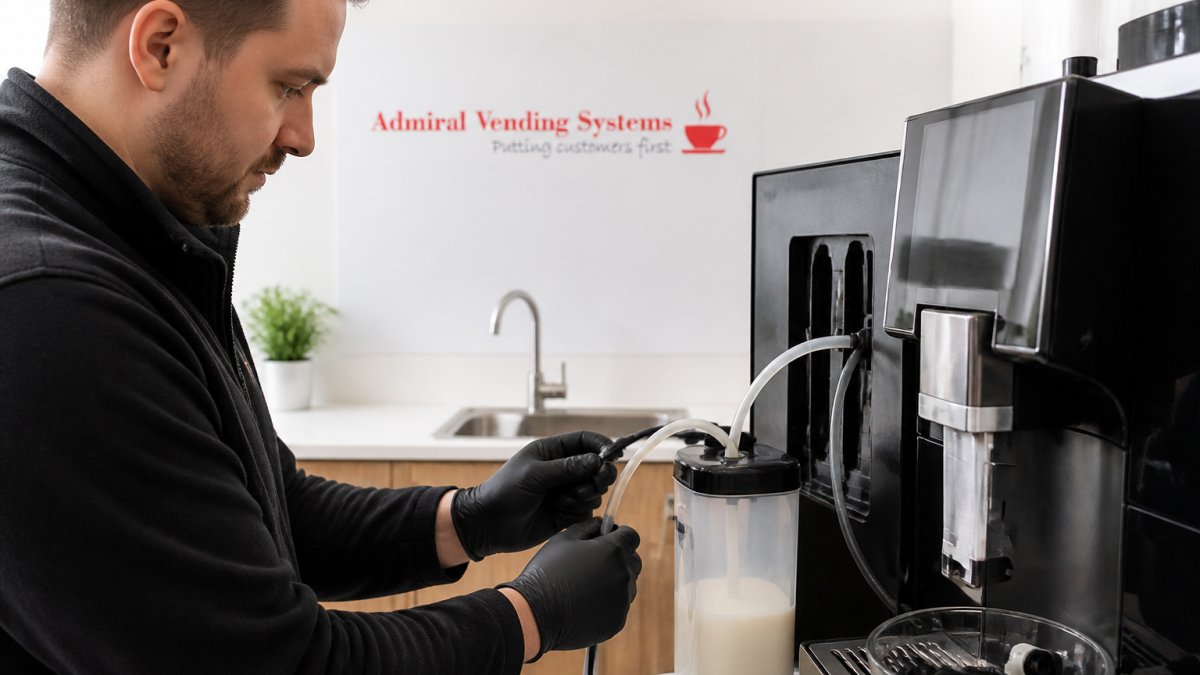
The milk system includes pipes, valves, and a steam wand.
Clean the milk system immediately after each use; dried milk is much harder to remove.
Start by purging the system: press the steam button to release any milk still in the pipes.
Rinse these parts under warm running water, using a small brush to clean inside narrow tubes where milk hides.
Wipe the steam wand with a damp cloth while the machine is still warm, before milk splatter dries on.
Milk system cleaning routine:
- Purge after each use
- Remove and rinse detachable parts
- Wipe steam wand
- Soak in warm water if needed
- Use cleaning solution weekly
Proper milk system maintenance prevents expensive repairs and keeps drinks tasting fresh.
Coffee Machine Cleaning Schedule and Tablets
A written schedule is the difference between a machine that lasts and one that fails. The intervals below assume a busy office making 50 to 150 drinks a day; adjust for heavier or lighter use.
Weekly tasks take about 15 to 20 minutes. Run a milk system cleaner through the pipes. Soak removable parts in cleaning solution for 30 minutes. Wipe down all external surfaces thoroughly, including the touchscreen and the area behind the drip tray where residue collects.
Descaling frequency depends on water hardness, not the calendar: every four to six weeks in hard water areas, every two to three months in soft water areas. If you do not know your water hardness, ask your water supplier for the figure in milligrams per litre of calcium carbonate, or use a simple test strip. As a rule of thumb, water above 200 mg/l is hard and needs more frequent descaling.
Using Coffee Machine Cleaning Tablets
Cleaning tablets are convenient but not interchangeable: group head and milk system tablets use different chemistry and must not be swapped.
For group head cleaning, insert a blind basket into the group head, add one tablet, run water through for 10 seconds, stop, wait 10 seconds, and repeat this cycle five times. Then run fresh water through for at least 30 seconds to rinse completely. Do this monthly, or more often if the machine serves more than 150 drinks a day.
For milk system cleaning, add one milk system tablet to a container of warm water as directed on the pack, run this solution through the milk system pipes, let it sit for 15 minutes, then flush with fresh water until it runs clear. Do this weekly.
Always follow the tablet manufacturer’s instructions; brands differ in strength and contact time, and too strong a solution or too long a soak can damage seals.
Keeping a Cleaning Record
A simple log sheet kept near the machine makes the schedule stick. Record the date, the task completed, and who did it. It stops tasks being missed when staff change, and if the machine needs a warranty repair, a service provider will often ask for evidence of regular cleaning. A log sheet is that evidence.
Cleaning schedule summary:
| Task | Frequency | Time Required |
|---|---|---|
| Empty drip tray | Daily (twice in busy offices) | 2 minutes |
| Remove ground coffee | Daily | 2 minutes |
| Purge milk system | After each milk drink | 1 minute |
| Deep milk clean | Weekly | 15 minutes |
| Group head tablet clean | Monthly | 10 minutes |
| Descale machine | Every 4 to 6 weeks in hard water; every 2 to 3 months in soft water | 40 minutes |
Stick to this schedule and your machine will run reliably for years. The log sheet is the part most offices skip, and the part that keeps the rest honest.
Common Cleaning Mistakes to Avoid
Many offices make the same mistakes, damaging machines and creating unnecessary problems.
The biggest mistake is waiting too long between cleanings.
Another common error is using the wrong cleaning products.
Some teams neglect the milk system because it’s complicated, then are shocked when the machine breaks down.
Overfilling the water tank causes leaks and water damage. Fill it to the marked line, not to the top.
Forgetting to empty the drip tray leads to overflow. Water pools inside the machine.
Not rinsing thoroughly after cleaning solutions leaves chemical residue that affects coffee taste and can irritate stomachs.
Ignoring unusual sounds or smells is a mistake. These are warning signs.
Getting Professional Support for Your Machine
Some problems need expert help. Knowing when to call a professional saves money and prevents downtime.
If your machine is making unusual noises, don’t ignore it. Grinding sounds might mean a motor issue.
If coffee is leaking from places it shouldn’t, stop using the machine. Internal seals may be damaged.
If descaling doesn’t improve water flow or taste, there may be internal blockages. Consult the commercial coffee machine repair pricing guide to understand when professional support makes financial sense.
Regular professional maintenance extends machine life significantly.
Admiral Vending provides professional support for your machine. Contact commercial coffee machine suppliers offering UK service to arrange professional cleaning and maintenance.
For broader workplace hygiene, review our guide on essential hygiene protocols for shared office kitchens.
If you’re considering upgrading your equipment, explore our range of office coffee machines.
Keeping your office coffee machine clean isn’t complicated.
Your team deserves fresh, clean coffee. A well-maintained machine delivers that every single day.
Frequently Asked Questions
How often should an office coffee machine be cleaned?
Daily cleaning of removable parts like group heads and milk systems is essential. Weekly deep cleaning with cleaning tablets keeps internal components hygienic. Monthly descaling removes mineral buildup from water. A bean to cup machine serving a busy office may need descaling more frequently depending on water hardness. Your machine’s manual and your supplier’s guidance will specify the exact schedule for your model.
Can you use washing up liquid to clean a coffee machine?
No. Washing up liquid leaves residue that affects coffee taste and can damage seals and gaskets. Use only water, approved cleaning tablets designed for coffee machines, or descaling solution recommended by your machine’s manufacturer. These products are formulated to dissolve coffee oils and mineral deposits without harming internal components or contaminating your drinks.
What parts of an office coffee machine need cleaning every day?
The group head, shower screen, and portafilter should be rinsed and wiped daily. If your machine has a milk system, clean the frother nozzle and removable milk lines immediately after each use to prevent milk from hardening inside. Empty the drip tray and grounds container. These daily tasks take just a few minutes but prevent bacteria growth and keep your machine delivering quality drinks consistently.
How long does it take to clean an office coffee machine?
Daily maintenance takes 5 to 10 minutes. Weekly cleaning with tablets takes 15 to 20 minutes. Descaling a bean to cup machine typically takes 20 to 30 minutes depending on your model. If your office has high daily demand, scheduling cleaning during quieter periods or using a machine with quick-clean cycles helps minimise downtime. Many commercial machines are designed with fast cleaning in mind.