Last Updated: November 12, 2026
Quick Summary
Evaluating office coffee machine reliability means checking evidence, not brand claims: service records, parts availability and how the machine behaves under sustained shared use. Size capacity against peak demand rather than the daily average, and confirm servicing response times, stocked parts and repair turnaround in writing before you buy.
- Size capacity for the busiest hour, then add headroom, because most drinks arrive between 8am and 10am.
- Bean to cup machines offer variety but carry grinder and brew unit wear as their main reliability risk.
- A same-day response of four to eight working hours suits offices serving more than around 50 drinks a day.
- Grinder burrs, brew unit seals, milk line connectors, drip tray sensors and water filters are the parts most likely to need replacing in the first three years.
- Model cost per drink over three to five years, because downtime dominates the model at high volume.
Table of Contents
- Why office coffee machine reliability matters more than brand claims
- Commercial coffee machine capacity: matching cups per day to peak demand
- Machine types and their reliability trade-offs
- Office coffee machine maintenance: what a realistic cleaning routine looks like
- Office coffee machine servicing: response times, parts, and repair turnaround
- Water supply, filtration, and machine location
- Total cost of ownership and running costs over several years
- Get your instant quote and plan a reliable workplace coffee solution
- Frequently Asked Questions
Why office coffee machine reliability matters more than brand claims
Reliability is the single most important factor when evaluating coffee machine reliability for busy offices, and it rarely shows up on a specification sheet. A machine that grinds, brews and self-cleans without drama protects the working day. A machine that fails at 9am does the opposite. At Admiral Vending, we have eight years of industry experience supplying commercial bean to cup equipment, and offices consistently tell us that a machine that breaks is the real regret, not a missing feature.
The hidden cost of coffee machine downtime at work
Coffee machine downtime at work is expensive in a way that never appears on an invoice. Staff drift to the nearest café, the queue reforms at the kettle, and the machine sits there as a visible reminder of a bad purchasing decision. For a deeper breakdown of what separates durable equipment from fragile equipment, read our commercial coffee machine reliability guide.
Commercial coffee machine capacity: matching cups per day to peak demand
Commercial coffee machine capacity is the maximum number of drinks a machine can deliver in a working day without strain, and it should always be sized against peak demand rather than the daily average. A 100-person office might average 150 drinks a day, but nearly all of them arrive between 8am and 10am. If the machine cannot handle that burst, it will queue, overheat and wear out early.
Duty cycle and throughput under shared use
Duty cycle describes how hard a machine works relative to its rated limit. A tabletop machine pushed to its ceiling every morning will fail sooner than a floor standing unit running comfortably within capacity. If you would rather work the numbers properly, our guide on how to calculate daily coffee output walks through the method step by step.
Machine types and their reliability trade-offs
Machine types carry different reliability trade-offs, and no single design suits every office. Bean to cup machines grind fresh beans on demand and deliver consistent drink quality, but they have more moving parts and need genuine maintenance. Filter coffee machines are simple and cheap to run, with few failure points, though drink options are limited. Capsule machines are easy to use and clean, but consumable costs stack up and shared use can wear the piercing mechanism.

| Machine type | Best for | Main reliability risk | Maintenance load |
|---|---|---|---|
| Bean to cup | Busy offices wanting variety | Grinder and brew unit wear | Moderate, scheduled |
| Filter | Low-volume, budget sites | Minimal, few failure points | Light |
| Capsule | Small teams, simplicity | Mechanism wear, consumable cost | Light |
| Traditional espresso | Trained operators | Scale and cleaning neglect | High, skilled |
Office coffee machine maintenance: what a realistic cleaning routine looks like
Office coffee machine maintenance is the routine of cleaning, descaling and replacing consumables on a schedule the machine actually needs, not one the office finds convenient.
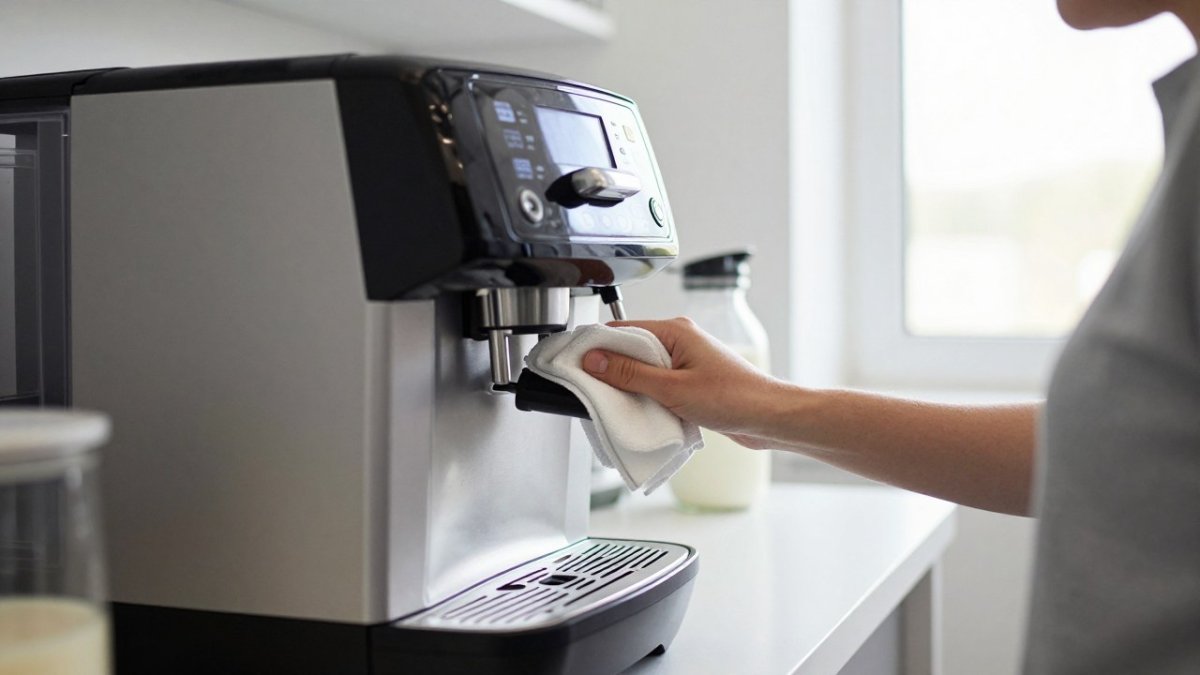
- Run the automatic cleaning cycle daily
- Empty and rinse the drip tray every morning
- Flush the milk lines after the last drink of the day
Milk systems and milk cleanup
Milk systems are the most common source of hygiene problems and blocked lines in shared offices. Fresh milk left in the circuit between drinks sours quickly, and a neglected milk cleanup turns into a service call. Choose a machine with an automatic milk cleaning cycle, and make flushing the lines the last task of every day. Our essential maintenance tips for industrial coffee equipment cover the wider routine in more detail.
Office coffee machine servicing: response times, parts, and repair turnaround
Office coffee machine servicing is only as good as the response behind it. Reliability in a busy office depends on three linked measures: how quickly an engineer attends, whether the parts needed are held in stock, and how long the machine is actually out of action. It is sensible to ask for all three in writing before you buy.
What a realistic service level looks like
Most commercial service agreements in shared offices fall into three tiers. A next-day response covers attendance within one working day, which suits lower-volume sites where a day without the machine is inconvenient but not disruptive. A same-day response typically guarantees attendance within four to eight working hours and is the sensible baseline for offices where the machine serves more than around 50 drinks a day. A four-hour priority response is the top tier and is usually reserved for high-footfall sites where downtime visibly affects the working day.
Parts availability and repairability
Parts availability separates a repairable machine from a disposable one. Before committing, ask which components are classified as common wear parts, whether those parts are held in stock by the service provider, and what the typical lead time is for non-stock items.
Watch out: a warranty that covers parts but not labour, or labour but not call-out charges, can leave you paying for the majority of a repair even though the machine is technically in warranty.
Repair turnaround and escalation
Repair turnaround is the clock that matters most to the office. For faults that require the machine to be removed, ask whether a loan machine is available and how quickly it can be delivered. Escalation procedures matter too: a named contact, a ticket reference, and a defined point at which an unresolved fault is escalated to a senior engineer.
How to compare service providers on evidence
Compare providers on four pieces of evidence rather than on the wording of the contract. First, the attendance commitment in working hours, not calendar days. Second, the list of stocked parts and the lead time for non-stock items. Third, the diagnostic features of the machine itself, because a machine that reports its own faults is cheaper and faster to repair. Fourth, the escalation and loan-machine policy. Our commercial coffee machine repair pricing guide explains what servicing and repairs typically involve, and it is worth reading alongside any service contract before you sign.
Water supply, filtration, and machine location
Water supply and filtration quietly decide how long a machine lasts. Hard water scales heat exchangers and brew units, and scale is the most preventable cause of premature failure. Fit a filter matched to local water hardness, and descale on schedule. A plumbed-in machine removes refilling chores but needs a safe, accessible location with drainage. Keep the machine out of direct sunlight and away from sinks and heavy foot traffic.
Total cost of ownership and running costs over several years
Total cost of ownership is the purchase or rental price plus every cost the machine generates over its service life, and it is a useful measure when comparing machines. Most buyers compare sticker prices. A better approach is to model cost per drink over three to five years, because that is the period in which consumables, servicing and downtime overtake the initial outlay.
The cost categories that matter
Build the model from six categories. The first is acquisition: purchase price, or rental and lease payments across the term. The second is consumables: coffee beans, milk, sugar and any capsule or filter media, calculated per drink and multiplied by expected annual volume. The third is water and energy: the machine’s rated consumption, the cost of water treatment and filters, and the electricity drawn during heat-up and standby. The fourth is cleaning supplies: cleaning tablets, milk system cleaner, descaling solution and replacement filters, which are small per unit but predictable across a year. The fifth is servicing: the contract fee, plus any call-out charges and parts not covered. The sixth is downtime: the cost of lost drinks and staff time when the machine is unavailable, which is the category most often left out and the one that most changes the ranking.
Modelling cost per drink over three to five years
A simple model works well enough to compare machines. Multiply expected annual drinks by the consumable cost per drink to get annual consumable spend. Add the annual service contract fee and an allowance for out-of-contract repairs based on the machine’s parts and repairability. Add water treatment and energy using the machine’s rated figures and your actual tariff.
Where the model usually surprises buyers
Three patterns recur. First, a cheaper machine with high consumable costs and slow parts availability often costs more by year three than a more expensive machine with lower running costs and stocked parts. Second, rental and lease arrangements move cost from capital to operating budget but can carry servicing exclusions that add cost back in year two and beyond. Third, downtime dominates the model at high volume: an office serving 200 drinks a day loses far more from a two-day outage than from a modest difference in purchase price.
Watch out: a cost per drink calculated on the daily average understates the real figure in offices with a sharp morning peak, because peak demand drives wear and downtime more than average volume does. Model the peak window separately if the office has one.
Using the model as a buying tool
The value of the model is not the final number but the ranking it produces. Two machines that look similar on a specification sheet can rank very differently once consumables, servicing and downtime are included. Keep the model live after purchase: track actual consumable spend, service call-outs and downtime against the forecast, and use the variance to decide whether the machine is performing as expected or whether the service arrangement needs revisiting.
Get your instant quote and plan a reliable workplace coffee solution
Choosing a reliable workplace coffee solution comes down to evidence: honest capacity figures, a realistic maintenance routine, and service support you can rely on. Our range spans compact table top coffee machines for smaller offices through to high capacity industrial coffee machines for high footfall sites, all grinding fresh beans on demand.
Get started with Admiral Vending and equip your office with a machine sized to your peak demand, backed by support that keeps it running. You can also request a quote for your workplace coffee solution in a few minutes.
A busy office deserves a coffee machine that keeps up without constant attention. Admiral Vending supplies commercial bean to cup equipment matched to your daily drink volume, with professional installation, operator training and nationwide service support.
Frequently Asked Questions
How do you assess the reliability of an office coffee machine?
Look for transparent evidence rather than marketing claims. Ask suppliers for uptime figures, service response times, parts availability, and repair turnaround. Check the duty cycle against your cups per day and peak demand. Review the warranty and support plan, and confirm what happens during breakdowns. A machine that suits your daily drink volume and has local service support will usually outperform a cheaper model with no maintenance backup.
How often should an office coffee machine be cleaned and serviced?
Daily cleaning of milk systems and waste areas is standard, with automatic cleaning cycles handling much of the work on modern bean-to-cup models. Descaling depends on water hardness and should follow the machine’s indicator. Professional servicing is typically scheduled around usage levels, often every few months for busy offices. Confirm the exact schedule with your supplier and keep a log so nothing is missed during peak periods.
How can you reduce coffee machine downtime at work?
Plan for failure before it happens. Keep a contingency such as a backup machine or a nearby alternative, stock spare parts like milk hoses and seals, and choose a supplier with a stated service response time. Train staff on basic checks and cleaning. Monitor recurring faults and address them early. A clear escalation route and a maintenance contract with defined response times make downtime shorter and less disruptive.
What should you check in a coffee machine warranty and support plan?
Check what the warranty covers, how long it lasts, and whether parts and labour are included. Confirm the service response time, whether support is nationwide, and what happens outside normal hours. Ask about repair turnaround and parts availability for your model. Review whether maintenance is included or charged separately, and whether fees change after the first year. Get these details in writing before you commit.